
Back to Tutorials
3 min read
Tips & Tricks: Practice with YouTube
Learn how to use JobLander with YouTube or podcasts to train with the AI without the pressure of speaking.
1
Find a Video or Podcast
- →Open YouTube or your favorite podcast platform.
- →Search for "mock technical interview", "behavioral interview questions", or a podcast relevant to your field.
- →Start playing the video so audio is coming through your browser tab.
youtube.com/watch?v=...
2
Activate JobLander on the Tab
- →Click the JobLander Chrome extension icon in your browser toolbar.
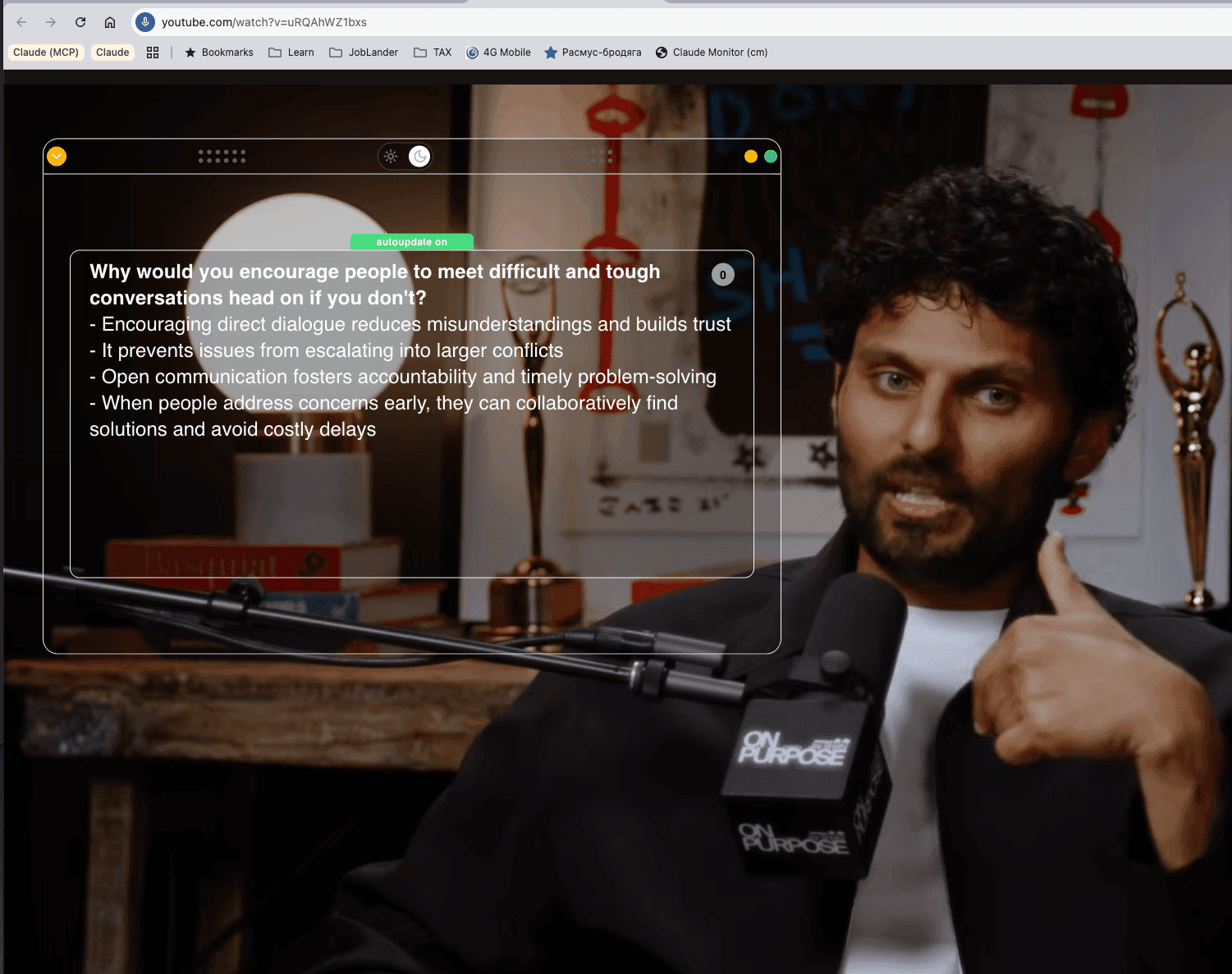
- →The extension captures the tab audio and begins transcribing the video in real-time — you will see the transcript appear in the widget.
- →As the interviewer in the video asks questions, watch JobLander generate live hints — exactly as it would in a real Google Meet session.
youtube.com/watch?v=... Active
Active▶
JobLander• Describe the context and stakes
• Highlight specific actions taken
• Quantify the outcome
• Highlight specific actions taken
• Quantify the outcome
Mock Technical Interview: Senior Software Engineer
3
Watch, Learn, and Practice Out Loud
- →Observe how JobLander responds to different question types — this builds your intuition for the kinds of hints it generates.
- →Pause the video and practice answering out loud. Compare your answer to the AI's suggestions.
- →This is completely stress-free — no recording, no time pressure, no judgment.
12:34
autoupdate on
Tell me about yourself
0
- Start with your current role and a key accomplishment.
- Highlight your past experience that specifically led you to this field.
- Conclude with your future goals and why you are excited about this opportunity.
The extension does not tell a video apart from a real interviewer: on a YouTube tab it runs an ordinary session and spends minutes at the usual rate — one minute of balance for every minute it runs, and the counting stops when you end the session.
💡
Why This Works
JobLander captures any audio playing in your browser tab. By feeding it a recorded interview, you simulate a real meeting environment perfectly. This builds your confidence in reading and utilizing AI hints before your actual interview day.